
First session
Outcome: You complete one interactive task and know how to monitor and steer it. Prerequisites: Authentication is complete.First session
On a fresh install with no prior startup state, Atomic shows a one-time explanation of its coding-agent runtime and verifiable workflows. It appears after any What’s New notes, directly above the input box. Returning users with prior startup state skip it automatically; stored credentials alone do not skip it. The normal Atomic input is ready from the start. Type a message, run/login if no provider is connected, or launch a workflow command. No separate onboarding step is required.
The agent decides whether a workflow fits. Non-trivial work with structure and a verifiable objective runs as a workflow unless you ask for inline execution: implementation, bug fixes, debugging, migrations, multi-file changes with validation, and requests phrased as “repeat until” or “fix until green”. Brainstorming, discussion, unclear goals, tiny low-risk answers or edits, or an explicit request to work inline, quickly or without a workflow stays inline. To launch, inspect the input contract with workflow inputs, then call workflow run with the registered workflow name and inputs. Ask only for genuinely missing information.
Atomic can discover and run named builtin, project, user, and package workflows; author a rich custom TypeScript workflow({...}) inline; and compositionally import reusable workflow definitions—including builtins from @bastani/atomic/workflows/builtin—into parent workflows with ctx.workflow(...). Nested children can nest again within maxDepth, so custom graphs can combine proven research, implementation, design, verification, and approval workflows instead of copying them. They can also classify and branch, dynamically fan out and synthesize artifacts, run adversarial repair cycles, tournament-rank candidates, and loop until checks pass with explicit bounds.
Atomic turns repeatable engineering loops into executable stages with inspectable evidence instead of relying on a markdown checklist the model may or may not follow.
Verify the session
Run one bounded task and watch it complete. In a repository you know, type:read on a directory, find, or bash at least once — each tool call is shown inline as it runs — and finishes with a summary naming directories that actually exist in your checkout. A response that names nothing from your repository means the session started outside the directory you meant; quit, cd to the right place, and start Atomic again.
Then confirm the session was recorded:
atomic -c resumes.
Go further
With a session working, these are the fuller capabilities to reach for next. None of them is required for a first successful session.Try the built-in workflows
Atomic ships with nine workflows you can run immediately. Use/workflow list to see them and /workflow inputs <name> to inspect their inputs in your environment.
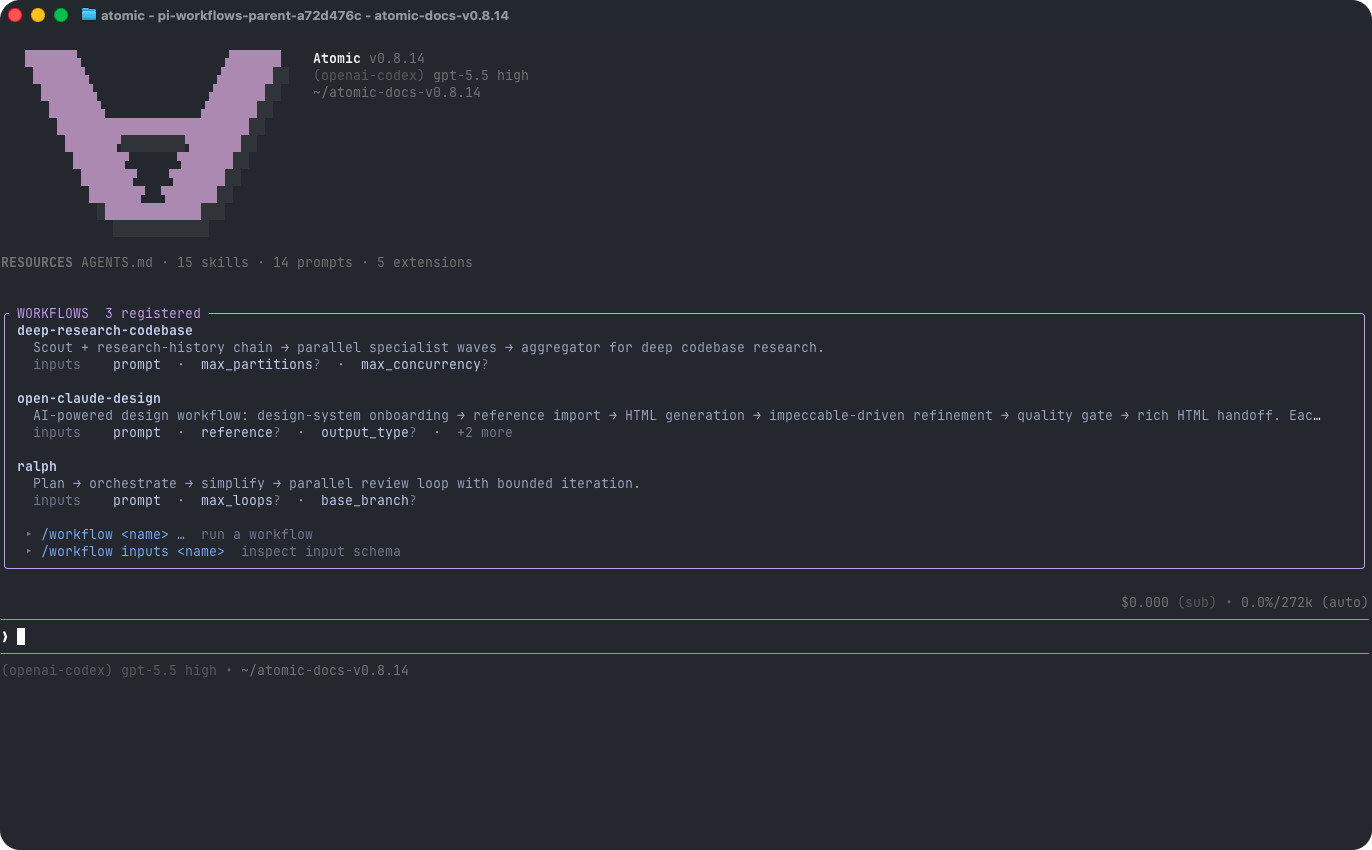
key=value tokens. Values are JSON-parsed when possible, so count=5, flag=true, and prompt="multi word value" preserve useful types. If you call /workflow <name> without required inputs, the TUI opens an inline picker; pass --no-picker to skip it. Goal and Ralph support git_worktree_dir only when you explicitly want a reusable worktree, and skip PR creation unless you set create_pr=true for the post-approval final stage.
You can also launch workflows with natural language — describe the task in chat and ask Atomic to run a matching installed workflow or author a task-specific one:
/workflow <name> commands launch the named workflow. Goal provides a durable ledger and receipt-backed reviewer gate; Ralph provides a research-first implementation/review loop. Custom graphs can add domain-specific deterministic checks and bounded repairs.
Monitor and steer a run
Named workflow runs execute in the background. After launch you get the full run id; user-facing workflow surfaces show that complete UUID. You can still type the full id or a unique short prefix to inspect, connect, pause, quit, or resume a run. Ambiguous prefixes are reported rather than selecting a run arbitrarily.BACKGROUND panel uses two lines per ordinary card at 80 columns and wider: the status glyph and full id are on the first line, and the workflow name plus mode/progress/elapsed metadata are on the second. A unique pending question adds a quoted one-line preview and Answer: /workflow connect <full-run-id>. Below 80 columns it collapses to a count-only line. In chat surfaces, a full id wraps onto continuation lines at narrow widths instead of being cut, and the surrounding border remains intact.
Human-in-the-loop prompts (ctx.ui.input, confirm, select, editor) surface in the graph viewer, not as chat modals — connect to the run to answer them. The BACKGROUND preview does not change that answering path.
Atomic also posts main-chat lifecycle notices when a run completes, fails, or awaits input. If you answer a workflow prompt in the graph or attached stage chat, the main chat receives a display-only answer summary for audit; it does not wake the model, enter LLM context, or answer later prompts. See Workflow Operations for the full run-control reference.
Top skills to invoke directly
Skills are reusable expert instructions. Trigger one with/skill:<name> followed by a request:
Impeccable 4.7.0 runs its commands (
context, live, detect, hooks, and the rest) through a self-contained engine binary instead of Node scripts. The bundled launcher, scripts/impeccable (impeccable.cmd on Windows), looks for a binary next to itself, then in ~/.impeccable/bin/, and otherwise downloads the pinned engine release for your platform into ~/.impeccable/bin/<version>/ and verifies it against its published SHA-256 before running it, so the first use needs network access. Point IMPECCABLE_BIN at a preinstalled engine or set IMPECCABLE_HOME to a writable cache when that is not possible. Atomic’s launcher keeps the engine’s anonymous telemetry pings and its npx impeccable update check switched off, since the skill ships with each Atomic release. A concept roll still fetches its catalog with a GET /api/roll request to impeccable.style, which carries the scope, mode, a short seed key, and a re-roll counter, but no project files, prompts, code, or conversation. Live sessions resolve to the selected app root and support SvelteKit, Nuxt, TanStack Start, Astro, Next.js, Vite, and static HTML injection. The image fallback runs only with OPENAI_API_KEY, sends prompts and optional reference images to OpenAI, and spends that account’s API credit. Generated image prompts are embedded in the image or a sidecar, so do not include secrets.
Use /skill:research-codebase for a focused subsystem or question. For repository-wide research, use fan-out-and-synthesize with distinct repository partitions and an artifact synthesis barrier. Use Goal for ledger-backed bounded orchestration and Ralph for research-first delegated implementation with iterative review; task size alone does not select either workflow.
Create your own workflow in natural language
Named workflows may be builtin, project, user, or package supplied. You do not have to hand-write TypeScript to add a new workflow. Describe what you want in plain chat and Atomic will design and write it for you using Builtins and Dynamic Workflows and the Custom Workflow Authoring reference as its source of truth:- ask clarifying questions if stage purpose, inputs, models, or handoffs are ambiguous,
- write a
.atomic/workflows/<name>.tsdefinition that usesworkflow({ ... })and importsTypefromtypebox, - run
/workflow reloadso the generated workflow is rediscovered and can be launched with/workflow <name>, - then report the generated workflow folder so you can inspect the code it wrote, using
Custom workflow created. You can inspect its code at: <workflow-folder-path>(for example,.atomic/workflows/); Atomic does this only for newly created custom workflows, never builtin or pre-existing workflows.
@bastani/atomic/workflows/builtin.
Default tools and prompts
If you’d rather start with a plain prompt, just type a request and press Enter:read- read filesbash- run shell commandskill- cancel owned background shell tasks by task IDedit- patch fileswrite- create or overwrite filesfind- discover files by glob patternsearch- search file contentsask_user_question- ask structured questions in the TUItodo- manage file-based todos
powershell is also enabled when a PowerShell executable is available.
Normal coding sessions include file discovery and content search through find and search in addition to read, bash, edit, and write. Atomic runs in your current working directory and can modify files there. Use git or another checkpointing workflow if you want easy rollback.